- /
-
- Blog /
- Starting with LTO tapes - LTO part 1
Starting with LTO tapes - LTO part 1
Backups are costing me only 1.1 euro per 1TB (9 minutes read)
2025-09-12
Introduction
This is series of posts, open the lto tags above, or scroll down to 'Related articles' at the bottom for similar posts.
This specific post is about my experience when purchasing Linear Tape-Open (LTO) hardware, what I purchased, why, and what I would recommend to others. And yes, the price per TB mentioned in the title is amazing, but it was not smooth sailing as I first imagined. Hope this blog will make that experience smoother than mine.
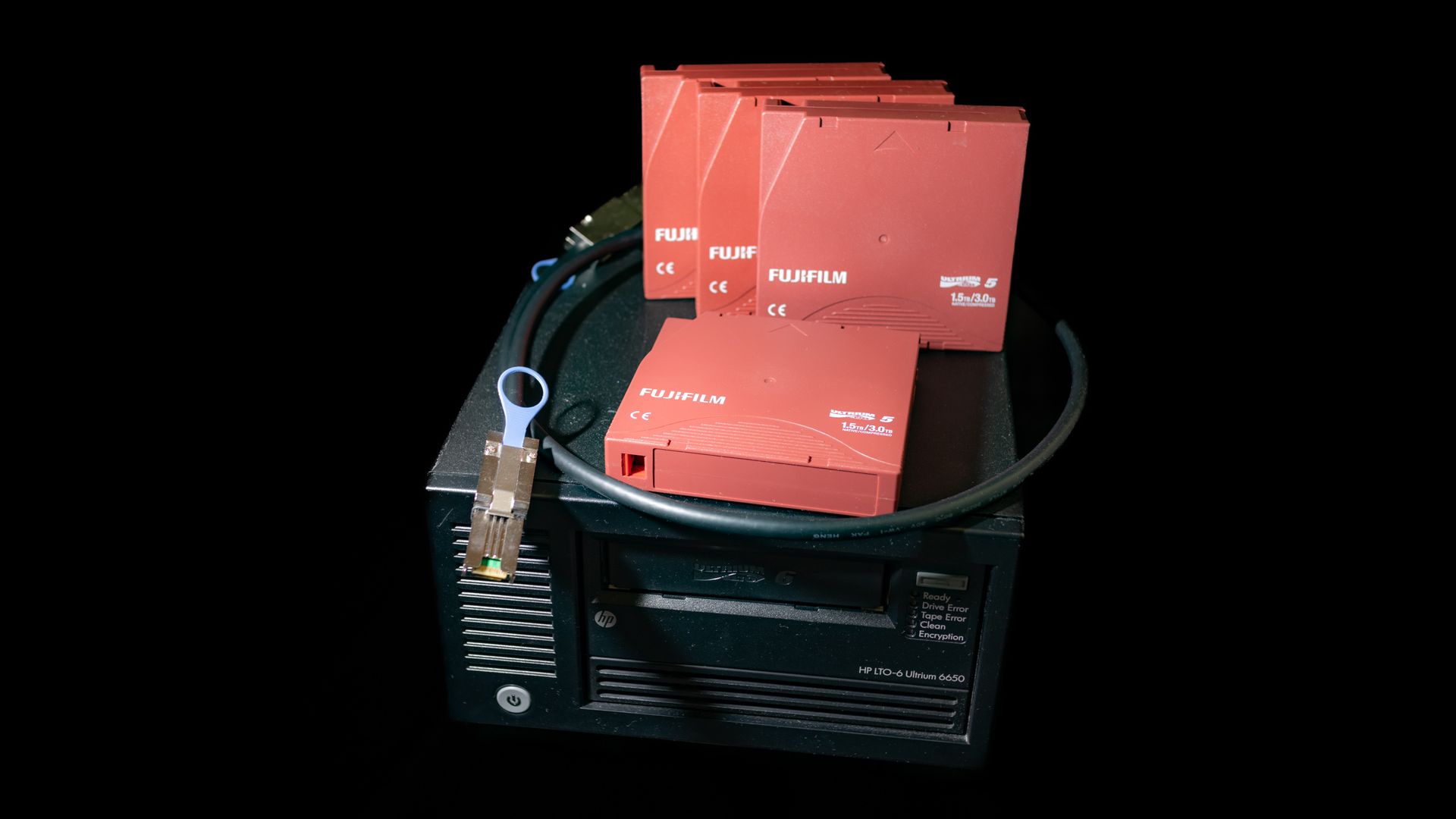
Start with tapes
This can make or break the project. If the tapes are too expensive or too small, then there is no point in continuing. How much data you want to store and how often, how much you want to pay for each backup (in case you want to treat them as WORM). If you are open to refurbished tapes or want to pay extra for new ones.
Buying cheap tapes with expensive shipping or small amounts doesn't make sense. And for me, buying brand-new tapes is not great either. To me, buying refurbished second-hand tapes in bulk (lot auctions/listings) was the best way. It's still cheaper for me to run the backups much more often, consume more tapes (have more redundancy) and slightly mitigate the risks associated with refurbished tapes than paying full price.
My NAS has redundancy, then the offsite snapshot replication which has its own redundancy as well. The tape backups are for last-resort disaster recovery of that offsite mirror. A lot of things would have to fail first for them to be needed. And either I will try used hardware and will have some fun along the way and learn new things while gambling slightly on this last resort backup strategy, or I will not do the backups at all. To be on the conservative side, I have chosen a seller who:
- Does the tape business for a living.
- Has a consistently spotless rating over many years of being in business.
- Stated that they were all cleaned and tested.
- And provided a warranty.
Then I benchmarked them before using each one and treated them as WORM to reduce wear on them. Buying used write-only medium doesn't make sense, so the WORM option for me was more expensive because it would force me to buy new media, compared to second-hand and very cheap non-WORM media which I decided to write only once and flip the write-protection.
I went for tapes because I wanted to try something different from HDDs and doing it for very cheap. If the price is not as driving factor, then maybe considering new tapes could be an option.
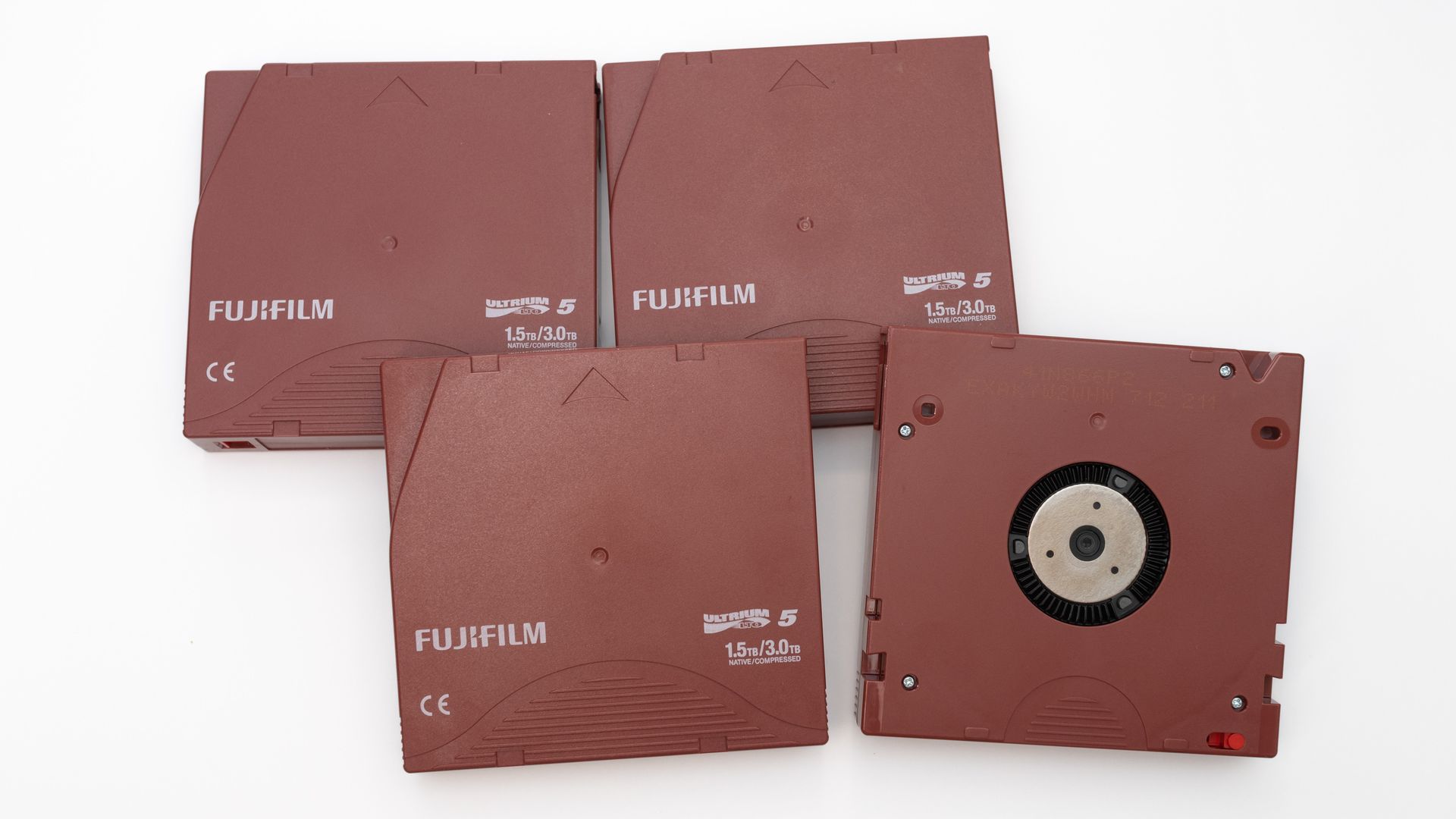
Right now at the moment of writing this article the LTO5 might be sweet spot. LTO6 is still much more expensive and even the LTO5 needs good bit searching to find the great value listings, and you will willing to buy a LOT of tapes in one go.
Generation
If you haven't determined which generation to get, I would recommend finding the best deals for each generation, including shipping, customs, etc. Then take their uncompressed capacity (section below explains why) and divide it to get the price per TB. To me, it's ok if the tape is twice as expensive if it holds twice as much data. Personally, bigger tapes would be more preferable as they would hold the same amount of backups in a smaller volume (easier to store long term) and would not need me to swap the tapes as often when running big backups (as I didn't get the tape changer library drive).
I got a great deal for refurbished LTO5 tapes to buy in bulk and the shipping was reasonable at that scale too. Now I own literally about 50kg of tapes, but each tape cost me around 1.7 euro (including shipping). That is really 1.1 euro per 1TB.
Capacities
You might not be able to write the advertised capacity to the tapes.
-
The compressed capacity claims might be impractical to achieve. Yes, they support LTO-DC hardware compression and up to LTO5 it was a 2:1 ratio while from LTO6 onwards it is a 2.5:1 ratio. That sounds promising and even smaller ratios would be better than nothing, but it's inferior even to gzip. Storing compressed content like video files or image files will yield no compression benefits. In my case, storing compressed and encrypted ZFS backups gives 0 benefit. Even in cases where the LTO compression would be able to give any benefits, it would be better to just tar and compress the content on the host first and then store it to the tape without the hardware compression. On the host I can use bigger dictionary buffers and more modern algorithms, for example LZMA2 with 7zip.
-
Unit conversions might be misleading (TB vs TiB). A 1.5TB tape is 1.36TiB only.
-
The true physical end of tape and the early warning end of media (EOT) mark (or sometimes referenced as Early Warning End Of Media) are not in the same place. The software can be forced to ignore the EOT mark and write until the tape is really full. See: --tapeaware and ServerFault post. I read that it's for data relocation of faulty blocks, then read elsewhere that it's better for the software. When I was writing to the true physical ending, the multi-volume backups were riddled with issues. And when I let it obey the early warning, then my backups finished reliably. As I already have the tapes for cheap and spending days running backups to encounter a failure at the end doesn't seem worth the time or effort to push it.
Just like this, an LTO5 advertised 'up-to 3TB' capacity ended up being around 1.3TiB of realistic storage. Keep this in mind if trying to calculate the expenses when doing your backups (you might end up using more tapes than what was expected at first glance).
Enterprise equipment
Financial viability
LTO equipment is prohibitively expensive when bought new. For hobbyists and home lab enthusiasts, the only viable path is using second-hand hardware, I got mine primarily via eBay. Peripheral components such as cables and brackets can typically be found on Amazon or AliExpress. Sourcing used enterprise gear involves inherent risks, proceed with caution when beginning your LTO journey.
Enterprise world
Be prepared for a learning curve. You will likely encounter connectors, cabling, and tools entirely unfamiliar to standard consumer computing, along with the various quirks of operating hardware designed for data centers now running in a small-scale home lab.
Beyond the 'Enterprise' aspect, tape storage is a legacy ecosystem. Much of the technology is backwards compatible and can feel dated (because it is). Consequently, this is unlikely to be a quick weekend project. Therefore, moderate your expectations. As a side note, thanks for this project I learned that the ubiquitous tar command is actually short for tape archive.
I tried previously to store more information on the tape's EEPROM LTO-CM to make them more self-reliant. But I scaled back on this idea as I was struggling to get multi-volume ZFS backups working to my liking. In the end, even if they were more self-reliant, they would benefit from a separate index to avoid reading the tape's metadata in a brute-force way to just find the one I want. And my idea of making a sealed bundle for long term storage would make the process of accessing them even harder. So either way I want an index to know what is where without me having to get the tape physically into my hands.
File system
I will go over details in a later blog post, but their native file system is very minimalistic (and this is not an understatement). Another learning curve to get over just to read and write files. Then you likely will need an external database to keep track of what is on what tape. There are dedicated software tools exactly for this purpose, but I avoided them. For the sake of simplicity and compatibility I keep track of the tapes by having a table in a plain markdown file stored on my NAS (and backed up to the cloud). The spirit of this approach is that this will be the most widely compatible "DB" and can be read on any tool, operating system and device (even a smartphone), and I will not be vendor locked into some specific software forced to be locked to a specific operating system.
There is Linear Tape File System (LTFS) which allows somewhat more conventional removable media experience. I tried it, but I was not convinced, and I wouldn't recommend it:
- Not really suitable for my zfs-send backup use-case anyway.
- More likely for "shoe shining" to happen, which wears down tapes and the drive itself.
- Lower capacity:
- A dedicated partition for the indexing pre-allocated takes space.
- Deletion of a file doesn't gain free space as the tape doesn't overwrite itself (only appends).
- Modification of files wastes more space, as per the point above.
- Not efficient for small files, and working around this by putting them into a
tarfile almost defeats the whole point of LTFS. If I'm tarring, then I could just be using the simpler no-overhead native file system directly.
- Pretty awkward for conventional use anyway, imagine something like a USB mass storage drive but much worse in every aspect:
- Slower.
- Louder.
- Losing space to overhead.
- Not great random access despite the technology doing amazing things to mitigate it.
- LTFS wears down already aged drive and tapes at a much accelerated rate compared to the non-LTFS way.
Linux vs FreeBSD
Previously I was intending to send my ZFS backups over network to a Linux machine which experienced various quirks when dealing with multi-volume tapes, having to wait for over 2 hours for the end of tape event to happen and getting networking related issues or network timeouts if I was not swapping tapes fast enough.
That made me to move the tape controller and drive into one mirror NAS. That in turn made me switch from Linux to FreeBSD and the behaviors of the already quirky and archaic tools changed even more:
- The
mtarguments changed slightly (future post will go over this tool). - Subtle behaviors of
mbufferchanged too (future post will go over this tool). - Kernel driver on FreeBSD was able to handle only blocks at a half size of Linux kernel.
- In short lost ability to write into LTO-CM in process of moving to FreeBSD
Moving to FreeBSD quirks became even quirkier, and it felt as downgrade, but in turn I was closer to my data and the multi-volume backups started finishing reliably.
Tape Drives
When selecting a drive, you can aim for one generation newer than your tapes. LTO drives are typically read/write compatible with the immediate previous generation, which allows cheaper future tape upgrades. I prefer external units over internal ones, as they are significantly easier to move between different machines and I can have multiple machines able to use LTO while owning only one drive. While the half-size and full-size external drives usually share the same speed specifications, just the full-size units should be more robust and meant for longer-term operation.
I avoided tape libraries and changers. These units are much bigger, more expensive and cumbersome to ship internationally. Also for me, they are overkill for my infrequent backup cycles. Nothing is stopping me (or you) from getting a library changer later, but I liked a slightly simpler and cheaper single tape drive as a first introduction to this whole new world of LTO. Furthermore, library tape changers have more moving parts and which can fail. While a standalone drive is a safer gamble that the unit was not driven hard constantly, tape changer libraries were more likely heavily utilized. Unlikely an enterprise got the most expensive option just to let it be idle. Tapes can survive for decades if stored correctly, but they can become useless paperweight without a functioning drive. Be realistic about archival goals and plan for upgrades to newer old-stock (or newer generation) hardware even if the tape medium theoretically could survive longer.
Get a fresh cleaning tape (do not buy this used as they have limited amount of cleaning cycles). And avoid overusing it, as the abrasive material wears down the drive head and killing the drive in the process. Rely on software indicators or the physical LEDs on the drive to determine when cleaning is actually needed.
References
- LTO Linear Tape-Open wiki
- WORM write-once read-many
- SAS Serial Attached SCSI wiki
- JBOD Just bunch of drives
- LTO-CM cartridge memory
- LTFS Linear Tape File System
- mbuffer man page
- mt man page
- LSI logic
- HBA host bus adapter