- /
-
- Blog /
- Building Llama.cpp from source
Building Llama.cpp from source
So we can enable NVIDIA CUDA support (4 minutes read)
2026-05-20
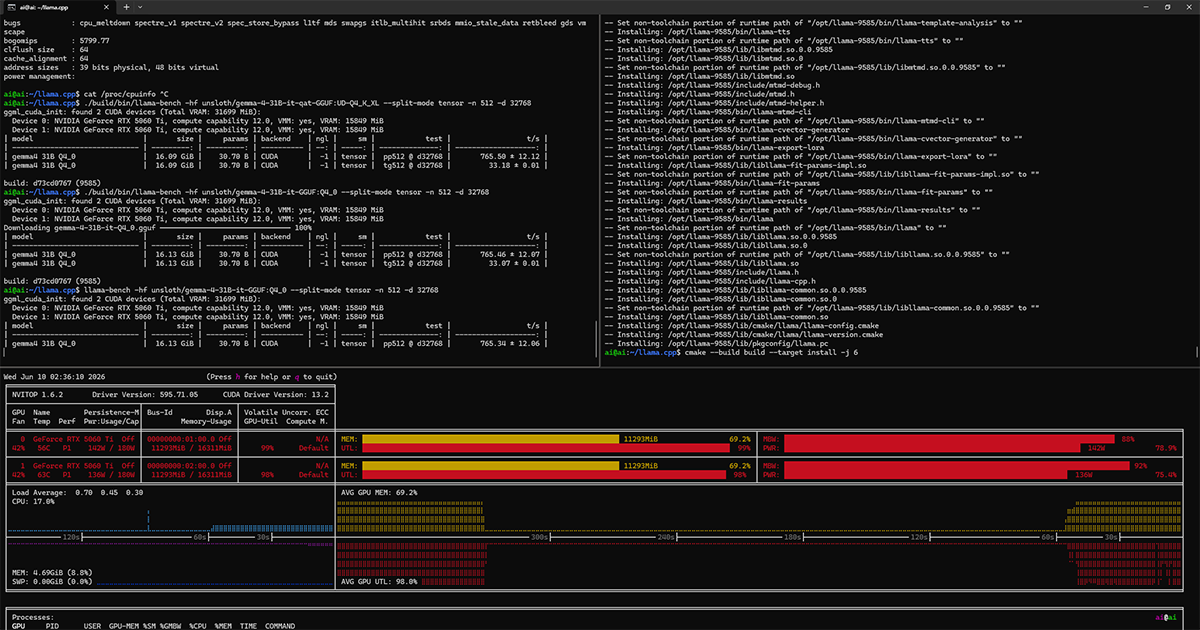
Install proprietary NVIDIA driver
This is for the 5060Ti (current generation as we speak) and current Debian. To get exact version: lsb_release -a
1 No LSB modules are available.
2 Distributor ID: Debian
3 Description:    Debian GNU/Linux 13 (trixie)
4 Release:        13
5 Codename:       trixie
Disabled secure boot in the BIOS so I can easily compile my own unsigned drivers and not cause a tainted kernel.
Running in headless non-X11 mode: systemctl get-default
1 multi-user.targetBlacklisted the open-source driver: sudo nano /etc/modprobe.d/nouveau.conf
1 blacklist nouveau
2 options nouveau modeset=0
Install the driver, no X11 config or 32-bit libs support needed:
1 sudo apt-get install git build-essential linux-headers-$(uname -r) pkg-config wget curl libcurl4-openssl-dev cmake ccache
2 chmod a+x ./NVIDIA-Linux-x86_64-595.71.05.run
3 sudo ./NVIDIA-Linux-x86_64-595.71.05.run
Update the GRUB command line: sudo nano /etc/default/grub
1 GRUB_CMDLINE_LINUX_DEFAULT="module.sig_unenforce nvidia-drm.modeset=1"Reboot and verify installation: dkms status
1 nvidia/595.71.05, 6.12.74+deb13+1-amd64, x86_64: installedCheck for errors or issues: dmesg | grep -i nvidia
1 [    0.000000] Command line: BOOT_IMAGE=/boot/vmlinuz-6.12.74+deb13+1-amd64 root=UUID=ebf3c29e-95de-4831-a7ab-43751c0805b7 ro module.sig_unenforce nvidia-drm.modeset=1
2 [    0.014067] Kernel command line: BOOT_IMAGE=/boot/vmlinuz-6.12.74+deb13+1-amd64 root=UUID=ebf3c29e-95de-4831-a7ab-43751c0805b7 ro module.sig_unenforce nvidia-drm.modeset=1
3 [    6.009794] nvidia: loading out-of-tree module taints kernel.
4 [    6.009806] nvidia: module verification failed: signature and/or required key missing - tainting kernel
5 [    6.156491] nvidia-nvlink: Nvlink Core is being initialized, major device number 235
6 [    6.159962] nvidia 0000:01:00.0: enabling device (0000 -> 0003)
7 [    6.160116] nvidia 0000:01:00.0: vgaarb: VGA decodes changed: olddecodes=io+mem,decodes=none:owns=none
8 [    6.166203] nvidia 0000:02:00.0: enabling device (0000 -> 0003)
9 [    6.166321] nvidia 0000:02:00.0: vgaarb: VGA decodes changed: olddecodes=io+mem,decodes=none:owns=none
10 [    6.172462] NVRM: loading NVIDIA UNIX Open Kernel Module for x86_64  595.71.05  Release Build  (dvs-builder@U22-I3-G08-03-1)  Fri Apr 24 06:42:30 UTC 2026
11 [    6.206284] nvidia-modeset: Loading NVIDIA UNIX Open Kernel Mode Setting Driver for x86_64  595.71.05  Release Build  (dvs-builder@U22-I3-G08-03-1)  Fri Apr 24 06:28:59 UTC 2026
12 [    6.216322] [drm] [nvidia-drm] [GPU ID 0x00000100] Loading driver
13 [    6.242709] input: HDA NVidia HDMI/DP,pcm=3 as /devices/pci0000:00/0000:00:01.0/0000:01:00.1/sound/card0/input5
14 [    6.242818] input: HDA NVidia HDMI/DP,pcm=7 as /devices/pci0000:00/0000:00:01.0/0000:01:00.1/sound/card0/input6
15 [    6.242901] input: HDA NVidia HDMI/DP,pcm=8 as /devices/pci0000:00/0000:00:01.0/0000:01:00.1/sound/card0/input7
16 [    6.242969] input: HDA NVidia HDMI/DP,pcm=9 as /devices/pci0000:00/0000:00:01.0/0000:01:00.1/sound/card0/input8
17 [    6.243025] input: HDA NVidia HDMI/DP,pcm=3 as /devices/pci0000:00/0000:00:01.1/0000:02:00.1/sound/card1/input9
18 [    6.243171] input: HDA NVidia HDMI/DP,pcm=7 as /devices/pci0000:00/0000:00:01.1/0000:02:00.1/sound/card1/input10
19 [    6.248354] input: HDA NVidia HDMI/DP,pcm=8 as /devices/pci0000:00/0000:00:01.1/0000:02:00.1/sound/card1/input11
20 [    6.248901] input: HDA NVidia HDMI/DP,pcm=9 as /devices/pci0000:00/0000:00:01.1/0000:02:00.1/sound/card1/input12
21 [    7.796645] [drm] Initialized nvidia-drm 0.0.0 for 0000:01:00.0 on minor 1
22 [    7.798060] nvidia 0000:01:00.0: [drm] Cannot find any crtc or sizes
23 [    7.798099] [drm] [nvidia-drm] [GPU ID 0x00000200] Loading driver
24 [    9.291520] [drm] Initialized nvidia-drm 0.0.0 for 0000:02:00.0 on minor 2
25 [    9.292934] nvidia 0000:02:00.0: [drm] Cannot find any crtc or sizes
Install CUDA SDK
Checked the GPUs:
nvidia-smi
1 +-----------------------------------------------------------------------------------------+
2 | NVIDIA-SMI 595.71.05              Driver Version: 595.71.05      CUDA Version: 13.2     |
3 +-----------------------------------------+------------------------+----------------------+
4 | GPU  Name                 Persistence-M | Bus-Id          Disp.A | Volatile Uncorr. ECC |
5 | Fan  Temp   Perf          Pwr:Usage/Cap |           Memory-Usage | GPU-Util  Compute M. |
6 |                                         |                        |               MIG M. |
7 |=========================================+========================+======================|
8 |   0  NVIDIA GeForce RTX 5060 Ti     Off |   00000000:01:00.0 Off |                  N/A |
9 |  0%   36C    P8              4W /  180W |   11928MiB /  16311MiB |      0%      Default |
10 |                                         |                        |                  N/A |
11 +-----------------------------------------+------------------------+----------------------+
12 |   1  NVIDIA GeForce RTX 5060 Ti     Off |   00000000:02:00.0 Off |                  N/A |
13 |  0%   32C    P8              5W /  180W |   11928MiB /  16311MiB |      0%      Default |
14 |                                         |                        |                  N/A |
15 +-----------------------------------------+------------------------+----------------------+
16
17 +-----------------------------------------------------------------------------------------+
18 | Processes:                                                                              |
19 |  GPU   GI   CI              PID   Type   Process name                        GPU Memory |
20 |        ID   ID                                                               Usage      |
21 |=========================================================================================|
22 |    0   N/A  N/A             775      C   /opt/bin/llama-server                 11916MiB |
23 |    1   N/A  N/A             775      C   /opt/bin/llama-server                 11916MiB |
24 +-----------------------------------------------------------------------------------------+
I found my GPU in the CUDA Compute Capabilities table and it's 12.0.
Also, it can be queried with the tool nvidia-smi --query-gpu=compute_cap:
1 compute_cap
2 12.0
3 12.0
I went to the CUDA SDK toolkit download page, selected my options and followed the instructions.
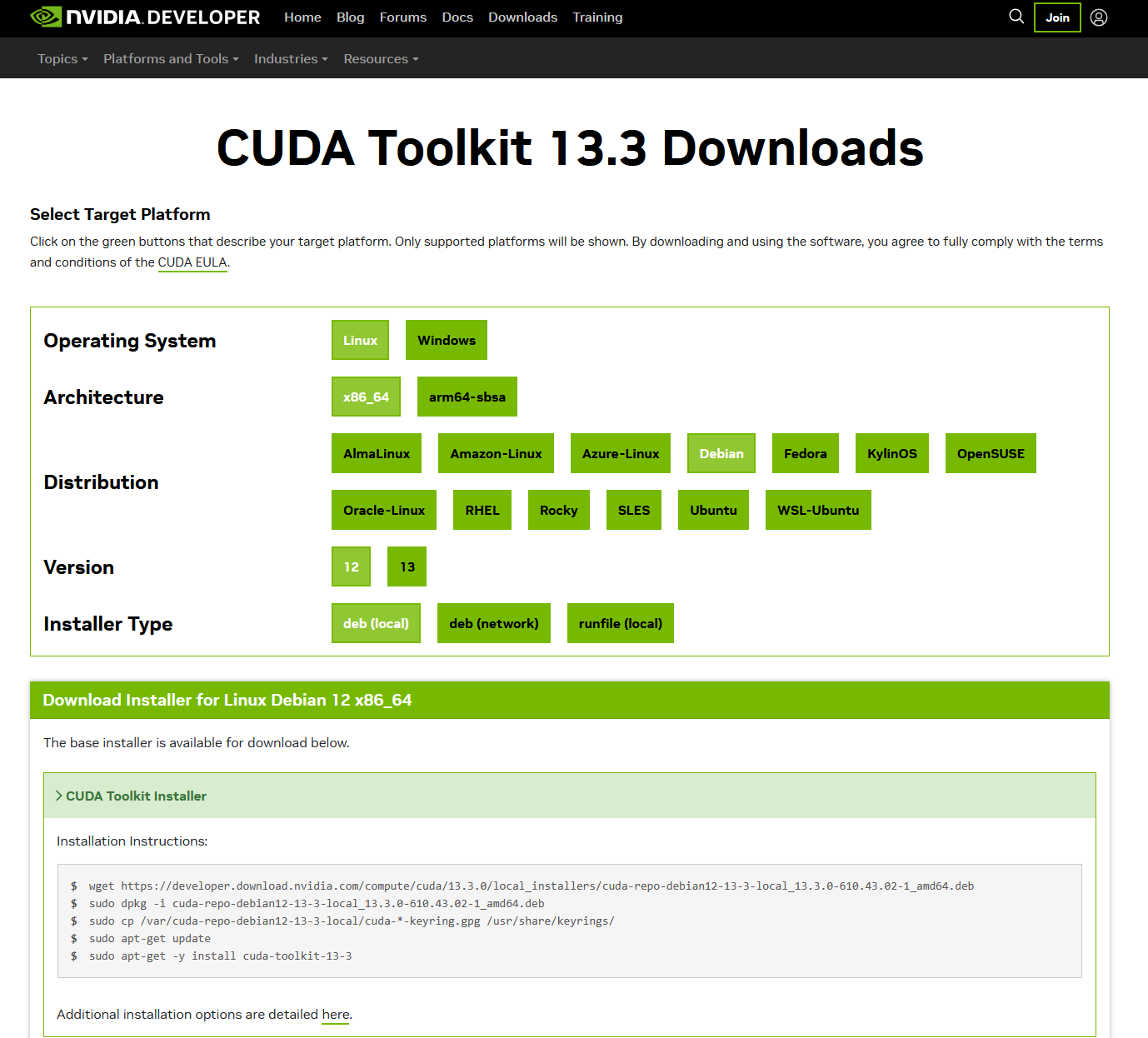
1 wget https://developer.download.nvidia.com/compute/cuda/13.3.0/local_installers/cuda-repo-debian13-13-3-local_13.3.0-610.43.02-1_amd64.deb
2 sudo dpkg -i cuda-repo-debian13-13-3-local_13.3.0-610.43.02-1_amd64.deb
3 sudo cp /var/cuda-repo-debian13-13-3-local/cuda-*-keyring.gpg /usr/share/keyrings/
4 sudo apt-get update
5 sudo apt-get install cuda-toolkit-13-3
To test if it was installed correctly (though for some reason it is not in my default bash path): /usr/local/cuda-13/bin/nvcc --version
1 nvcc: NVIDIA (R) Cuda compiler driver
2 Copyright (c) 2005-2026 NVIDIA Corporation
3 Built on Fri_Apr_24_07:22:02_PM_PDT_2026
4 Cuda compilation tools, release 13.3, V13.3.33
5 Build cuda_13.3.r13.3/compiler.37862127_0
Building llamacpp from source
Made sure to remove NCCL, as in my case, when it's detected, the --split-mode tensor performs very badly: sudo apt-get remove libnccl2 libnccl-dev or set -DGGML_NCCL=OFF when calling cmake.
Because I have a 12.0 card, the build will be run with -DCMAKE_CUDA_ARCHITECTURES=120 (just removed the decimal point):
1 git clone https://github.com/ggerganov/llama.cpp
2 cd llama.cpp
3 rm -r build # clean previous build artifacts if this was not the very first run
Configure: cmake -B build -DCMAKE_BUILD_TYPE=Release -DGGML_CUDA_FORCE_MMQ=ON -DGGML_CUDA_F16=ON -DGGML_CUDA=ON -DGGML_NCCL=OFF -DGGML_CUDA_FA_ALL_QUANTS=ON -DGGML_CUDA_GRAPHS=ON -DGGML_LLAMAFILE=OFF -DCMAKE_CUDA_ARCHITECTURES=120 -DCMAKE_INSTALL_PREFIX:PATH=/opt/llama-9585
1 -- ccache found, compilation results will be cached. Disable with GGML_CCACHE=OFF.
2 -- CMAKE_SYSTEM_PROCESSOR: x86_64
3 -- GGML_SYSTEM_ARCH: x86
4 -- Including CPU backend
5 -- x86 detected
6 -- Adding CPU backend variant ggml-cpu: -march=native
7 -- CUDA Toolkit found
8 -- Replacing 120 in CMAKE_CUDA_ARCHITECTURES with 120a
9 -- Replacing 120-real in CMAKE_CUDA_ARCHITECTURES_NATIVE with 120a-real
10 -- Using CMAKE_CUDA_ARCHITECTURES=120a CMAKE_CUDA_ARCHITECTURES_NATIVE=120a-real
11 -- Could NOT find NCCL (missing: NCCL_LIBRARY NCCL_INCLUDE_DIR)
12 -- Warning: NCCL not found, performance for multiple CUDA GPUs will be suboptimal
13 -- CUDA host compiler is GNU 14.2.0
14 -- Including CUDA backend
15 -- ggml version: 0.14.0
16 -- ggml commit:  d73cd0767
17 -- OpenSSL found: 3.5.6
18 -- Generating embedded license file for target: llama-app
19 -- Configuring done (0.4s)
20 -- Generating done (0.3s)
21 -- Build files have been written to: /home/ai/llama.cpp/build
Warning: NCCL not found, performance for multiple CUDA GPUs will be suboptimal
For my setup (as I do not have strong PCIe; it's a single slot split for two GPUs) I found the "slow" fallback actually orders of magnitude faster than true NCCL. The ggml_backend_meta fallback hides the two physical GPU backends in one logical backend which can invoke AllReduce when needed. The NCCL might support various setups, but this fallback is mostly optimized for two GPUs with the same VRAM capacity. Works best on dense models, not mixture-of-experts models.
Finally, build the project with: cmake --build build -j 6.
Alternatively, build and install with: cmake --build build --target install -j 6
1 [ 96%] Built target llama-results
2 [ 96%] Linking CXX executable ../../bin/llama-batched-bench
3 [ 96%] Built target test-chat
4 [ 97%] Built target test-gguf-model-data
5 [ 97%] Built target test-quant-type-selection
6 [ 96%] Built target llama-diffusion-cli
7 [ 97%] Linking CXX executable ../../bin/llama-bench
8 [ 97%] Built target export-graph-ops
9 [ 97%] Linking CXX executable ../../bin/llama-completion
10 [ 99%] Linking CXX executable ../../bin/llama-quantize
11 [ 99%] Linking CXX executable ../../bin/llama-perplexity
12 [ 99%] Linking CXX executable ../../bin/llama-cli
13 [ 99%] Built target llama-batched-bench
14 [ 99%] Linking CXX executable ../../bin/llama-server
15 [ 99%] Built target llama-bench
16 [ 99%] Built target llama-completion
17 [100%] Linking CXX executable ../bin/llama-fit-params
18 [100%] Built target llama-quantize
19 [100%] Built target llama-perplexity
20 [100%] Built target llama-cli
21 [100%] Building CXX object app/CMakeFiles/llama-app.dir/__/license.cpp.o
22 [100%] Linking CXX executable ../bin/llama
23 [100%] Built target llama-server
24 [100%] Built target llama-fit-params
25 [100%] Built target llama-app
Let's see if it can detect the GPUs: ./build/bin/llama-server --list-devices
1 Available devices:
2   CUDA0: NVIDIA GeForce RTX 5060 Ti (15849 MiB, 15712 MiB free)
3   CUDA1: NVIDIA GeForce RTX 5060 Ti (15849 MiB, 15712 MiB free)
After compilation, quickly verify if it runs: ./build/bin/llama-cli --gpu-layers all -hf exdysa/tinystories-llama-20m-gguf:Q2_K -p "One day"
1 One morning was a sad, and soon met. This made everyone with honey.
2 The one of them and the people were feeling a bit saper.
3 And when the hunter heard a laugh.
4 "We a competin of the adventingland.
5 The moral afternoon gave me an amazing of a special and well, this was a less kindness.
6
7 [ Prompt: 13014.3 t/s | Generation: 3071.9 t/s ]
Install to the destination path if not done yet, and it's ready to be used.
References
- Hugging Face gemma-4-31B-it-GGUF
- Ollama gemma4
- llamacpp GitHub
- llamacpp server readme
- llamacpp split modes
- Gemma 4 QAT release
- QAT quantization aware training
- Quantization aware training for LLMs
- CUDA Compute Capabilities table
- CUDA SDK toolkit download page
- UD - Unsloth Dynamic
- NVIDIA Collective Communication Library (NCCL)
- Perplexity